Let's talk about your website
In the demo, Michael shows you how searchVIU works. We use your website and a demo project for it.

Which website is it about?
Please enter your website and your business email.We need your business email for the demo. Without a company address, you can use our free tools instead.
What do you need?
Select as many as you like.
Who are you?
We only use your details for the demo. More in our privacy policy.
We need your business email for the demo.Please check your email address.Please enter your website.Please check your website address.The spam check could not be loaded. Please email us at info@searchviu.com.That didn't work. Please email us at info@searchviu.com.

Thanks! Now pick a time.
The calendar shows the open slots for your call with Michael.
From request to getting started
Many websites can only be crawled once IT has allowed the crawler. That's why we sort this out with you before the demo.
Three short steps, then you pick a date.
We clarify crawler access, NDA and access to Search Console.
Michael shows you searchVIU with the demo project and your website.
Michael sets up your project with you. After the first few weeks, you go through the results together.
What you'll see in the demo
The demo project has been running for weeks. It shows you what searchVIU looks like day to day, with several weeks of history.
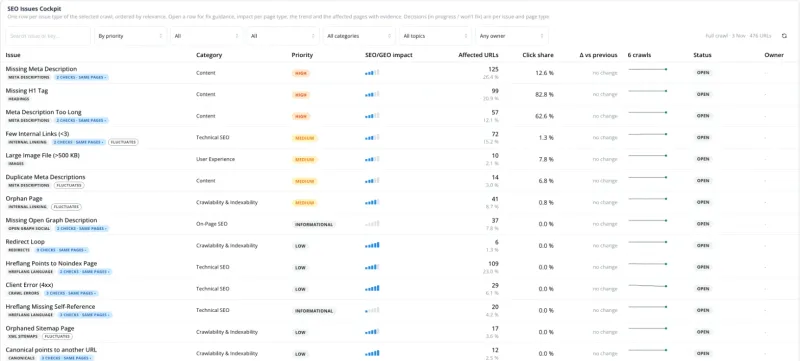
Real screenshot from our demo project with searchviu.com.
Michael guides your start personally
Michael sets up your project with you, from the first crawl to the alerts. After the first few weeks, you look at the results together.
What does your IT need to prepare?
Not much. You'll find all the technical details about the crawler in the bot documentation.
- Allow the crawlerby fixed IP or via the searchVIUbot user agent
- Connect Search Consolerequired for the demo and for getting started
- An NDA if neededwe're happy to send you one in advance